A garage door sensor yellow light often means the sending sensor has power, but it does not prove the whole safety system works. Dirt, an object in the beam, or a sensor that has moved can stop the door from closing. In Russellville, you can check the path and gently clean the lens, but stop if the door acts unsafely.
A door that will not close can leave a home or business feeling exposed. Small sensor lights may be hard to read, especially when they blink or change color. A few simple checks can help you spot a clear problem. They can also show when to leave the work to a trained technician. Dust, damp weather, and a bump to a sensor can all affect how it works in Russellville.
Table of Contents
- What does a yellow garage door sensor light mean?
- Why is my garage door sensor light blinking?
- How do garage door safety sensors work?
- What should I check when the sensor light is yellow or blinking?
- How do I clean garage door safety sensors?
- How do I realign garage door sensors?
- Why won’t my garage door close even when the sensors look aligned?
- Can I bypass garage door safety sensors?
- How can I test whether the sensors are working correctly?
- When should I call a garage door repair technician?
- Frequently Asked Questions
What does a yellow garage door sensor light mean?
A yellow light often appears on the sending sensor, which sends a beam across the doorway. On many systems, this light stays on when the sensor has power. A yellow light by itself does not show that both sensors work. The other sensor must read the beam, and the opener must respond as it should.
Why sensor light colors vary by manufacturer
Garage door opener makers do not all use the same light colors. One maker may use yellow on the sending side and green on the receiving side. Another may use other colors, or show a light only when the beam is clear. The light’s meaning depends on the opener and sensor model. The opener manual is the best guide to the lights on your system.
A blinking light may point to a weak signal, a blocked beam, loose wiring, or a sensor that has moved. It does not always mean the sensor is broken. If one light stays on and the other is dark or blinking, the receiver may not read the beam. Check for dirt or an object nearby before you think a part has failed.
How to identify the sending and receiving sensors
The sending sensor makes the beam. The receiving sensor reads it. They sit low beside the door tracks and face each other across the opening. The manual, a label on the sensor, or the wire connection may show which is which. Their shape can be much the same, so do not guess by sight alone.
If you cannot find the manual, the opener’s label may help you find its model. Russellville Garage Door Repair can help homeowners and property owners learn what a sensor light may mean. A steady yellow light can be normal on some systems. A blinking light or a dark light on the receiving side may need more checks. First look for dirt and nearby objects, rather than moving the sensor.
Why is my garage door sensor light blinking?
A blinking sensor light can mean the beam is blocked or the sensors do not face each other. It can also point to a loose wire, a damaged wire, or a power problem. The blink pattern can differ by opener model. Check the manual before you read a certain blink pattern as a fault code.
What intermittent blinking can indicate
If a light blinks only when the door moves, the sensor or its mount may shift as the door or track moves. A loose bracket or vibration may affect the beam. A leaf, tool, storage bin, or cobweb can also cross the beam now and then. Look around the sensors, but keep away from the door’s moving parts.
Dust and damp can affect sensor parts too. If the door starts to close, then stops and goes back up, the opener may not be reading the beam. Do not keep pressing the remote to force the door shut. Repeated tries can hide the cause and may leave the door in an unsafe spot.
How to distinguish a sensor issue from a power problem
First, see if the opener lights and wall control work. If the opener has no power, a sensor light may be dark because it is not getting power. If the opener works but one sensor light is out, the issue may be with that sensor, its wire, or its connection. A breaker that has tripped or a plug that came loose may also stop the opener.
Only check plugs and switches that are easy to reach. Do not open the opener or touch bare wires. If the opener lights and both sensor lights flicker, there may be a wider power or wire issue. Garage Door Opener Repair may help when the opener still acts oddly after simple checks. Stop if a wire looks cut, pinched, or worn.
How do garage door safety sensors work?
Garage door safety sensors send an unseen beam across the doorway. The receiving sensor looks for the beam while the door closes. If something blocks it, the opener should stop the door and make it go back up. This safety feature helps keep the door from closing on a person, pet, or object.
How the infrared beam detects an obstruction
Infrared light is light that people cannot see. One sensor sends it, and the other reads it. When the way is clear and both sensors face each other, the receiver can read the signal. A box, person, pet, or layer of dirt can block the beam. The opener may then read the doorway as blocked.
The sensors are usually set low on each side of the opening. This helps them sense things near the floor. It also means stored items, cleaning tools, or a vehicle tire can bump them. Keep the space in front of them clear. Do not hang or place items where they can cross the beam.
Why the door reverses when the beam is interrupted
The opener is made to stop or reverse when it cannot read a clear beam. That is a safety response, not a sign that the door is being difficult. A door that goes back up when the beam is blocked may be working as it should. Never try to defeat this safety feature just to close the door.
The sensors are only one part of a garage door system. The opener, tracks, rollers, springs, and cables also affect how safely the door moves. A door that moves unevenly or makes a harsh sound may have another problem. Do not pull, lift, or force a heavy door that seems stuck. Garage Door Maintenance can help keep the system in good shape, but a damaged door needs proper repair before use.
What should I check when the sensor light is yellow or blinking?
Start with simple checks around the sensors. Look for an object in the beam, dust on the lenses, or a sensor that seems to have moved. Do not touch springs, cables, or brackets at the lower corners of the door. If a wire looks damaged or the door moves in an unsafe way, stop and call a technician.
Check for objects, dirt, and cobwebs near the beam
Look across the doorway at the height of the sensors. Move only loose items that are safely out of the door’s path. Look for leaves, bins, tools, toys, or cobwebs near either sensor. A small object can block the beam even if the floor looks clear from inside the garage.
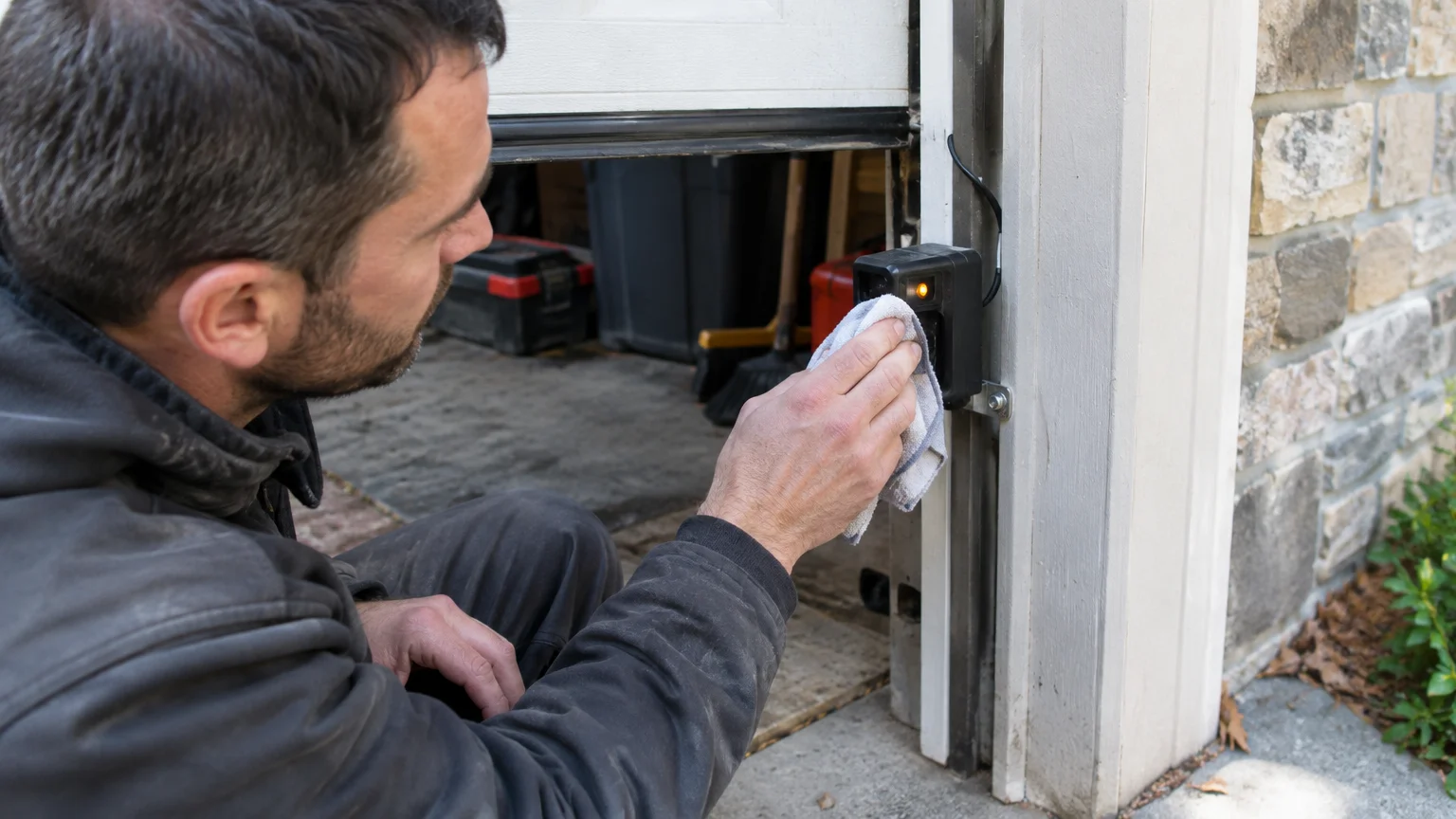
Dust and smudges can cover a lens. Wipe it gently with a soft, dry cloth. Do not use a sharp tool or spray cleaner on the sensor. If the dirt will not come off with a gentle wipe, do not take the sensor apart. Force can damage the lens or its case.
Inspect sensor brackets, wiring, and connections
Look at the sensor brackets from a safe place. A sensor that hangs at an angle may no longer face the other one. Check whether visible wire looks pinched, loose, or cut. Do not pull on the wire or try to join bare wires. Wire work can cause a shock or harm the opener.
Look at the floor and tracks for things that could stop the door too. A garage door that is off its tracks or moves unevenly needs more than lens cleaning. Garage Door Off Track Repair is a separate repair, and the door should stay unused until it is checked. If the door is heavy, tilted, or partly open, keep people away. Do not try to guide it by hand.
How do I clean garage door safety sensors?
A homeowner can safely clean the exposed sensor lenses when the door is still and the space is clear. Use a soft, dry cloth and a gentle touch. Do not spray liquid on the sensor, pull its wires, or remove its case. If cleaning does not help, the cause may be alignment, wiring, or the opener.
Safe steps for cleaning the sensor lenses
First, make sure no one is using the door. Keep children and pets away from the opening. Use a clean, soft cloth to wipe the face of each lens. Then look for cobwebs or dust near the sensor without pushing or twisting its bracket. This is simple care, not a repair of the door’s moving parts.
After cleaning, see if the lights look steady. A steady light can mean different things on different opener models, so check the manual. If the door still will not close, do not keep wiping the lens or pressing the remote. Dirt may not be the problem. A sensor that stays dark may have a power, wire, or part issue.
How to avoid damaging the lens or wiring
Avoid rough cloths, paper towels that leave bits behind, strong cleaners, and sharp objects. Do not soak the sensor or spray water on it. Keep your hands away from the tracks and moving parts. If a wire runs through a tight space or looks worn, leave it alone. Do not tape it or try to join it.
You do not need a professional for gentle lens cleaning or moving a loose object away from the beam. You do need help if a wire is damaged, a bracket is broken, or the door still acts badly. In Russellville, a technician can check the sensors and opener together instead of guessing at one part. Stop at once if the door starts moving without a clear command.
How do I realign garage door sensors?
Sensors need to face each other so the receiver can read the beam. A homeowner can check if they look level and clear, but should not force a bent bracket or work near a moving door. If a light will not stay steady after a simple visual check, a technician can find out if the cause is alignment, wiring, or a broken part.
How to adjust the sensors so they face each other
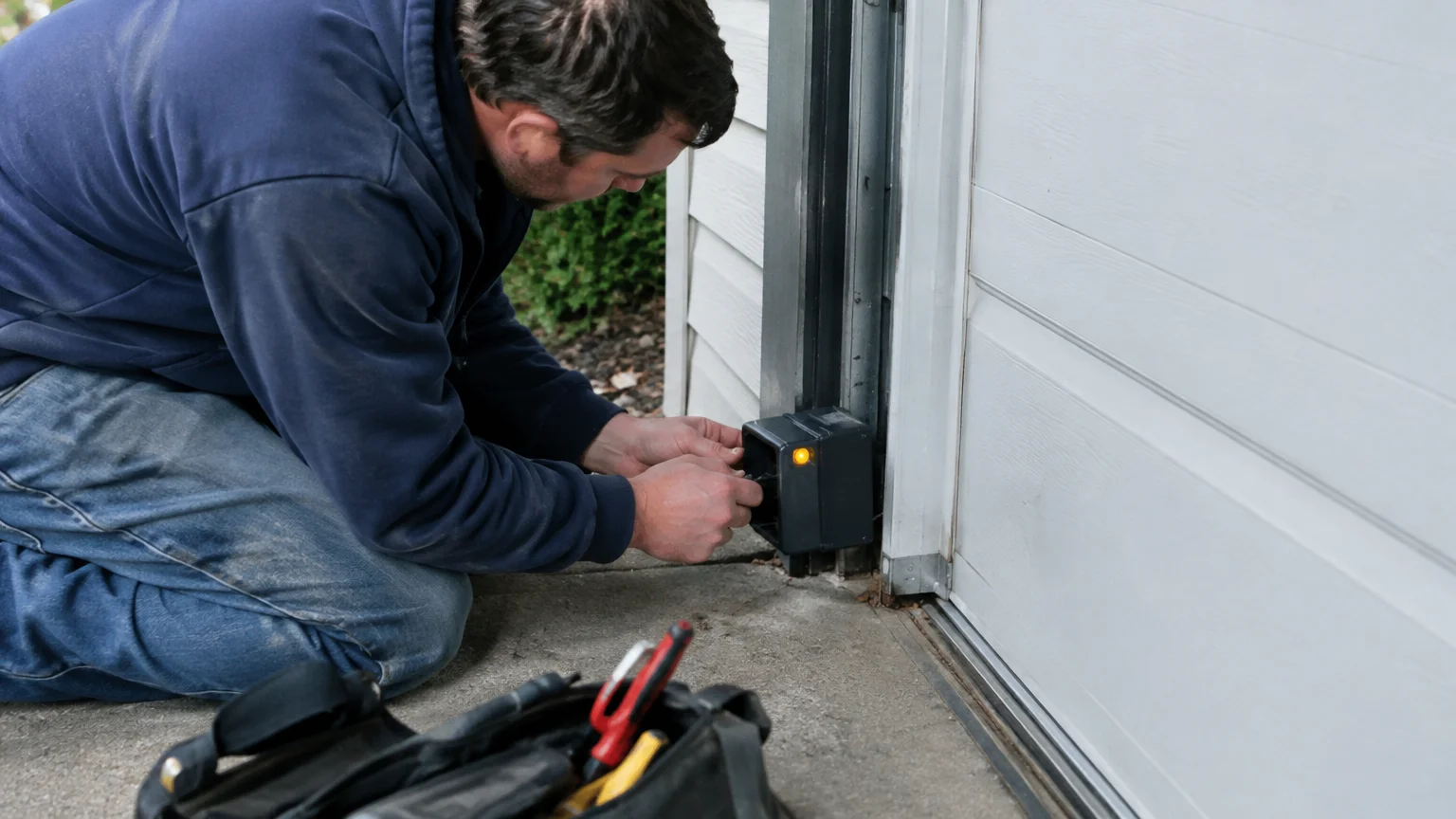
Look from one sensor toward the other. They should point across the doorway, not toward the floor or wall. Check whether a bracket looks bent or loose, but do not pull hard on it. Keep the door still while you look, and keep your fingers away from tracks and hinges.
If a sensor has only been nudged, a small, gentle change may help it face the other sensor. Do not loosen parts you cannot name, and do not use force. Stop if the bracket does not move easily or if wires feel stretched. A bent mount may need repair, not more adjusting. The opener instructions can explain its light signals.
How to tell when the indicator lights show alignment
Many systems show a steady light when the receiver reads the beam, but the color and pattern depend on the model. Read the opener manual to learn what the lights mean. If the receiver light stays off or keeps blinking, the beam may still be blocked, or a part may have failed.
A door that closes once does not prove the sensors are safe every time. The light should stay steady, and the door should move without stopping or going back up. Do not test alignment with a person or pet in the doorway. If the door closes only when a sensor is held or pushed, stop using it and get help. Sensor alignment is not worth the risk of injury.
Why won’t my garage door close even when the sensors look aligned?
A door may not close even when the sensors seem to face each other. The cause could be an object, a track problem, a wire fault, or an opener setting. A door that starts down and then goes back up may also react to another safety or movement issue. Do not assume the sensors are at fault just because the door will not close.
Other causes, including track obstructions and opener settings
Look for an object in the door’s path and along the tracks. A bent track, damaged roller, or crooked door can stop safe movement. Do not try to straighten a track or lift a heavy door. A door off its track needs trained repair, not more force from the opener.
The opener may also need help if it stops or reverses when the sensor beam is clear. Settings affect how far a door moves, but changing them without knowing the model can cause more trouble. A remote or wall control fault can also make the door seem unresponsive. Garage Door Opener Repair can help with trouble that remains after simple checks.
When a closing problem may signal wiring or opener trouble
If sensor lights flicker, wires look damaged, or the opener makes a strange sound, stop testing. A loose connection can fail now and then, so the door may work at times. The problem may be inside the opener or in a wire path that is not safe to reach. Leave the cover and wires alone.
A garage door that will not open may also have a broken spring, cable, or opener. Do not try to lift it if it feels much heavier than normal. Springs and lift cables hold strong force, and a failure can cause serious harm. Garage Door Cable Repair is work for a trained technician. Do not try to fix a panel or door part while the door is under force.
Can I bypass garage door safety sensors?
No. Bypassing garage door safety sensors removes a key safeguard that helps stop the door when something blocks its path. The door could then close on a person, pet, or object. Keep the sensors in place and working. If they do not work, leave the door unused until the problem is fixed.
How bypassing removes an important safety protection
The sensors help the opener know when the doorway is blocked. If the beam is defeated, the opener may not react as it should to an object in its path. This can put people, pets, and property at risk. Never tape a sensor in place, cover its lens, unplug it, or use a device that tricks the opener.
Some opener manuals describe a wall control action for closing a door when a sensor has a fault. That does not make it safe to ignore the fault. Follow the exact manual only if your system allows it, the doorway is fully clear, and you can watch the door. If anything is unclear, do not try it. A technician can advise you on safe next steps for your opener.
Safer temporary steps when the door will not close
Keep people and pets away from the doorway. Move vehicles only if you can do so safely, and do not stand under a door that may move. If the door is stuck open, secure the area and keep valuable items out of view. If it is stuck closed, do not force it upward.
Do not pull the emergency release if the door may be out of balance or a spring or cable may be broken. The release separates the door from the opener, and a heavy door can fall. If the door needs to be secured, a technician can check it safely. The safest short-term choice is to keep clear and arrange a repair, not defeat a safety feature.
How can I test whether the sensors are working correctly?
A homeowner can watch the sensor lights and observe a normal door cycle from a safe place. Keep the doorway clear, and never use a person, pet, or body part to test the beam. Stop if the door moves in an odd way, fails to go back up as expected, or makes a harsh sound. A technician can do a full safety check.
Check sensor response during a normal closing cycle
Only watch a normal closing cycle when the area is clear and the door seems to be in good shape. Watch the lights from outside the door’s path. The door should move smoothly, and the sensors should not flicker or lose their signal. If it stops or goes back up, do not repeat the test again and again.
Do not put an object where the door could crush it, and do not stand under the door. Do not test by blocking the beam with your hand while the door moves. The opener manual may explain a safe test for your model. If the manual is missing or unclear, leave the test to a technician.
Stop testing if the door behaves unpredictably
Stop using the opener if the door drops, jerks, moves unevenly, or closes without a clear command. A sensor test cannot show that the springs, cables, tracks, and opener are all safe. Keep away from a door that looks crooked or hangs partly open. A door under force can move without warning.
A technician can check the sensor response and the rest of the system. This matters in homes, shops, and other places where people use the opening. Russellville Garage Door Repair can help people in the main Russellville area, including Norristown, Bernice, Dardanelle, Pottsville, London, Dover, and nearby communities. Do not keep running the opener to see if the problem goes away.
When should I call a garage door repair technician?
Call a garage door repair technician when cleaning and clearing the path do not solve the problem, wires or brackets look damaged, or the door moves in an unsafe way. Professional help is also needed for springs, lift cables, bottom brackets, and doors that have come off their tracks. These parts can hold dangerous force and should not be fixed at home.
Signs the issue needs professional diagnosis
Get help if one sensor stays dark, a light keeps blinking, or the door goes back up when the beam is clear. A technician should also check a door that is crooked, very heavy, noisy, or stuck. These signs may point to more than a sensor issue. A damaged spring or cable can make the door unsafe to move.
Spring and cable work is risky because these parts hold tension. A spring can release force without warning, and a cable can snap or come loose. Bottom brackets connect to parts under tension too. Do not remove, loosen, or adjust these parts. A trained technician has the right tools and skills to check and fix them.
What to do if the door is stuck open or closed
If the door is stuck open, keep people away from the opening and do not use it until it is checked. If it is stuck closed, do not force it or try to lift it alone. Keep hands away from the tracks and hinges. If the door is tilted, partly open, or hanging by a cable, move away and wait for help.
Key takeaways
- A yellow light can be normal on some opener models.
- A blinking light may mean the beam is blocked or unstable.
- Gentle lens cleaning and a clear doorway are safe checks.
- Do not bypass sensors or work on springs and cables.
- Stop using a door that moves unevenly or without warning.
When simple checks do not solve the problem, the door needs a proper check. Contact us at Russellville Garage Door Repair for urgent help if your garage door will not close or may be unsafe. Do not force the door while waiting for help.
Frequently Asked Questions
Does a yellow garage door sensor light mean the sensor is broken?
Not always. On many systems, yellow is the normal light for the sending sensor. Check the opener manual to learn what the light means for your model. If the other sensor is dark, the door will not close, or lights keep blinking, there may be a blockage, alignment issue, wire fault, or failed part.
Why does my garage door close partway and then go back up?
The opener may sense that the safety beam is blocked or unstable. Dirt, an object, or a sensor that has moved can cause this. A track or opener issue can make the door go back up too. Keep the doorway clear and stop testing if the door still acts oddly.
Can I clean garage door sensors myself?
Yes. Gentle cleaning is usually safe when the door is still and the area is clear. Wipe the exposed lenses with a soft, dry cloth. Do not spray cleaner, pull wires, or take the sensor apart. If the light still blinks or the door will not close, ask a technician to check it.
Should I bypass the sensors to close the door?
No. Bypassing the sensors can stop the opener from sensing a person, pet, or object in the doorway. Keep the system in place and do not tape, cover, or unplug a sensor. If the door is stuck open or closed, keep people away and arrange a safe repair.
When is a sensor problem actually an opener or door problem?
The cause may be elsewhere if the beam is clear but the door still stops, goes back up, or will not move. Damaged wires, a faulty opener, a bent track, or a broken spring can cause similar problems. Do not handle springs or cables. A technician can check the whole system and find the cause.
If you are not sure what you are dealing with, it is worth having someone look at it before it turns into a bigger job. Get in touch with Russellville Garage Door Repair today and we will tell you where you stand.